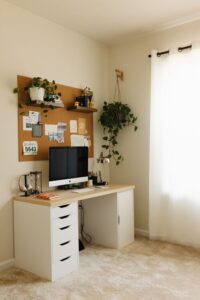
Tips for Creating a Cozy and Functional Home Workspace
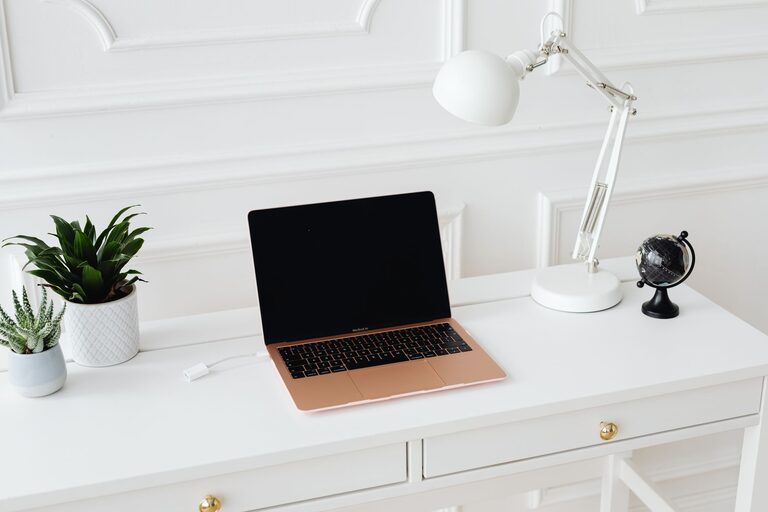
Creating a cozy and functional home workspace is essential for anyone working remotely or spending lots of time at home on projects. A well-designed workspace can boost productivity, reduce stress, and make your workday more enjoyable. Whether you have a dedicated room or just a small corner, you can transform it into a space that supports focus and comfort.
In this post, we’ll cover practical tips and ideas that can help you create a workspace tailored to your needs.
Choose the Right Location
The first step in setting up your home workspace is finding the best spot. Consider these factors:
– Natural light: A space near a window with natural light can improve mood and reduce eye strain.
– Quiet environment: Choose a location with minimal distractions or noise.
– Space availability: Make sure there is enough room for your desk, chair, and any necessary equipment.
– Ventilation: Fresh air helps keep you alert and comfortable during long working hours.
If space is limited, look around for unused corners, under the stairs, or even a part of your living room that can be sectioned off.
Invest in Ergonomic Furniture
Comfort is key when working for hours at a desk. Ergonomic furniture helps prevent strain and promotes good posture.
– Chair: Select an adjustable chair with good lumbar support. Your feet should rest flat on the floor or on a footrest.
– Desk: The desk height should allow your elbows to rest at a 90-degree angle when typing.
– Monitor placement: Position your computer monitor at eye level about 20-30 inches away to prevent neck and eye strain.
If a full ergonomic chair or desk isn’t possible immediately, consider adding cushions, footrests, or monitor stands to improve your setup gradually.
Keep It Organized and Clutter-Free
An organized workspace helps keep your mind clear and your focus sharp.
– Storage solutions: Use shelves, drawers, and organizers to keep documents, supplies, and devices in order.
– Cable management: Use clips, sleeves, or ties to keep cords tidy and prevent tangling.
– Daily tidying: Spend a few minutes at the end of each day to clear your desk and prepare for the next day.
Labeling storage boxes or folders can also help you quickly find what you need without rummaging through piles.
Personalize Your Space
Adding personal touches to your workspace can make it feel inviting and motivate you throughout the day.
– Plants: Small indoor plants improve air quality and add a touch of nature.
– Art and photos: Hang artwork or photos that make you happy or inspired.
– Lighting: Use warm desk lamps or fairy lights for a cozy atmosphere during darker hours.
– Color: Choose colors that calm you or enhance creativity, such as soft blues, greens, or warm neutrals.
Personalization doesn’t have to be overwhelming; even simple accents can make a big difference.
Optimize Lighting
Proper lighting reduces eye strain and creates a pleasant working environment.
– Natural light: Maximize daylight as much as possible.
– Task lighting: Use adjustable desk lamps for focused lighting on your work surface.
– Ambient lighting: Soft overhead lighting helps reduce contrast between screen and surroundings.
Avoid harsh fluorescent lights or glare on your monitor by adjusting blinds or repositioning lights.
Manage Noise and Distractions
Maintaining focus is easier when distractions are minimized. Consider these strategies:
– Noise-cancelling headphones: Great for blocking out background noise when needed.
– White noise machines or apps: These can create a consistent sound environment that masks disruptive sounds.
– Clear boundaries: Let family members or roommates know your work hours to respect your workspace.
If you’re in a noisy area, adding rugs or curtains can help absorb sound and reduce echoes.
Plan for Breaks and Movement
Sitting for long periods can affect your health and concentration. Make your workspace conducive to breaks:
– Stretching space: Leave room to stand up and move or stretch.
– Standing desks: Consider adjustable desks that let you alternate between sitting and standing.
– Timer apps: Use apps or alarms to remind you to take breaks regularly.
Even short breaks help refresh your mind and improve productivity.
Technology and Tools
Having the right tools can streamline your workflow.
– Reliable internet: Ensure you have a stable internet connection.
– Peripherals: Invest in a good keyboard, mouse, webcam, and microphone if you attend video calls.
– Backup: Use cloud storage or external drives to keep your work secure.
Keep software and hardware updated to avoid disruptions.
Keep It Flexible
Your needs may change over time, so design a workspace that can adapt.
– Modular furniture: Use pieces that can be rearranged easily.
– Dual-purpose areas: Your workspace might double as a craft room or reading nook at times.
– Seasonal adjustments: Switch lighting or decorations according to the time of year to keep the space fresh.
Flexibility helps keep your environment inspiring and suited to your routines.
—
Creating a cozy and functional home workspace is about balancing comfort with productivity, personalization with practicality. By thoughtfully choosing your location, investing in ergonomic furniture, keeping things organized, and adding personal touches, you can build a space that helps you focus and feel good throughout your day.
Take the time to experiment and adjust your workspace until it fits your unique style and needs. A well-designed home office can make all the difference in your daily work experience!