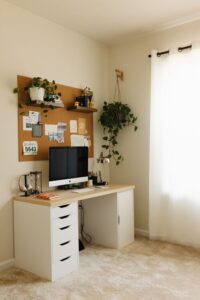
Tips for Organizing a Clutter-Free Workspace at Home
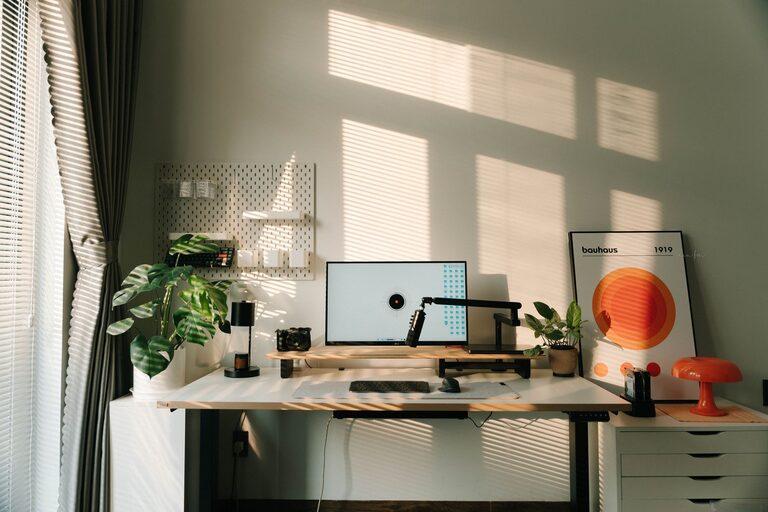
Creating a comfortable and organized workspace at home can make a significant difference in your productivity and overall well-being. Whether you work remotely full-time or occasionally need a spot to handle personal projects, having a clutter-free area is essential. Here are practical tips to help you organize your work area efficiently and keep distractions at bay.
Why a Clutter-Free Workspace Matters
A clean and orderly workspace helps reduce stress and mental clutter. It allows you to focus better and complete tasks more efficiently. When you know where everything is, you waste less time searching for items and feel more motivated to stay on track.
—
Getting Started: Assess and Plan Your Space
Before organizing, take a good look at your current workspace. Ask yourself:
– What items do I truly need for my work?
– Which items are just taking up space?
– Are there better storage or layout options?
Make a list of essentials versus non-essentials. This will guide your decisions as you sort through your space.
—
Tips for Organizing a Clutter-Free Workspace
1. Declutter Regularly
Set aside time each week or month to clear out unnecessary items. Toss, donate, or relocate anything you don’t use often. Keeping clutter from accumulating is easier than tackling large messes later.
2. Use Efficient Storage Solutions
Invest in storage that suits your workspace size and style. Some options include:
– Drawer organizers: Keep small items like pens, clips, and sticky notes neatly separated.
– Shelves and wall organizers: Maximize vertical space to keep items off your desk.
– Filing cabinets or boxes: Store important documents in an orderly manner.
3. Keep Only Daily Essentials on Your Desk
Limit what sits on your desktop to a few items you use often, such as your computer, a notepad, and a lamp. This keeps your workspace visually appealing and less distracting.
4. Manage Cables and Technology
Loose cables can create visual clutter and make cleaning harder. Use cable clips, ties, or a cable box to keep cords organized. Position your devices thoughtfully to avoid overcrowding.
5. Personalize Mindfully
Adding a plant or a favorite photo can make your workspace feel inviting, but avoid overcrowding surfaces. Choose tasteful decorations that inspire without overwhelming.
—
Organizing Paper and Digital Files
Paper clutter is a common challenge. Try these tips:
– Go digital: Scan important papers and save them on your computer or cloud service.
– Use trays or folders: Create an inbox and outbox system for documents.
– Purge periodically: Recycle or shred papers you no longer need.
For digital files, maintain a clear folder structure and delete unnecessary files regularly. Back up important documents to avoid losing anything vital.
—
Creating Habits for Maintaining Organization
Organization is a continuous process. Develop simple habits like:
– Clearing your desk at the end of each day.
– Putting tools and supplies back in their designated places.
– Reviewing your workspace layout every few months to adjust for changing needs.
—
Optimizing Your Workspace Layout
Arrange your desk and furniture to suit your workflow:
– Keep frequently used items within arm’s reach.
– Position your monitor at eye level to reduce neck strain.
– Ensure good lighting from natural or artificial sources.
A thoughtfully arranged workspace encourages long-term use and comfort.
—
Final Thoughts
A clutter-free workspace at home is achievable with a bit of planning and regular upkeep. By following these tips, you can create an environment that helps you stay focused, productive, and comfortable throughout your workday. Taking control of your workspace is a meaningful step toward better work habits and overall well-being.